The Drip Campaign feature on Chatrace empowers businesses to engage their contacts effectively by sending a series of automated messages over time. This strategic approach helps guide contacts through the sales funnel, enhancing conversion rates and nurturing relationships.
How to create Drip Campaign
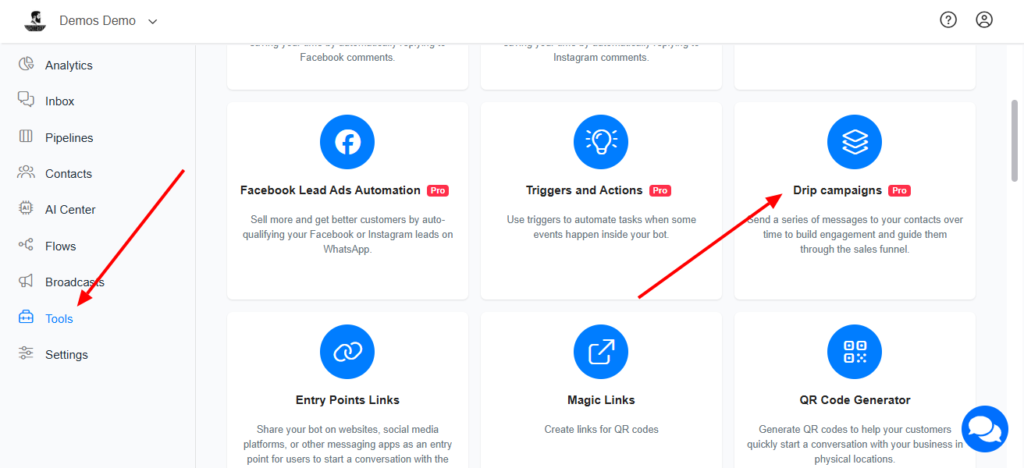
- Navigate to Tools >> Drip Campaign
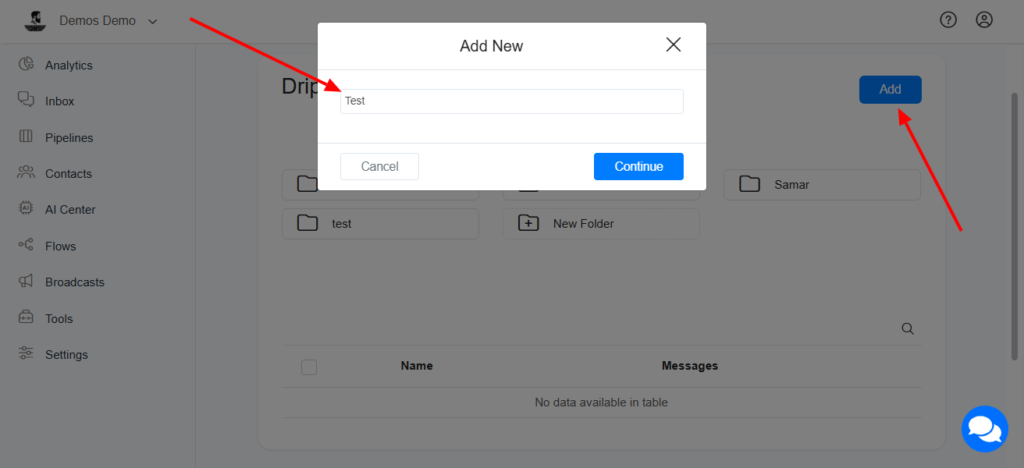
Click on Add and name your Drip Campaign
- Select the flow you want to send on your Drip Campaign and set the time they should be sent
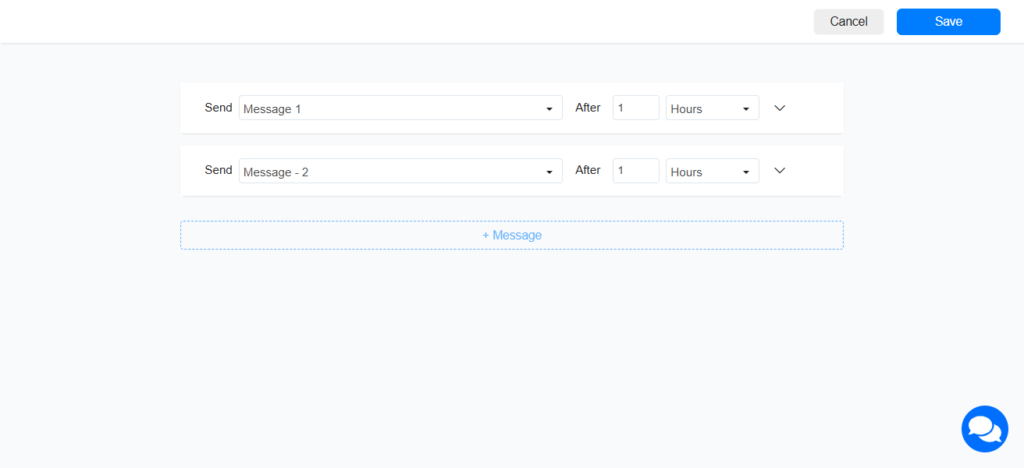
The above setup shows
- Message 1 will be sent one hour after the contact was subscribed to the Drip Campaign
- Message 2 will be sent one hour after Message 1 is sent.
How to subscribe a contact to a Drip Campaign
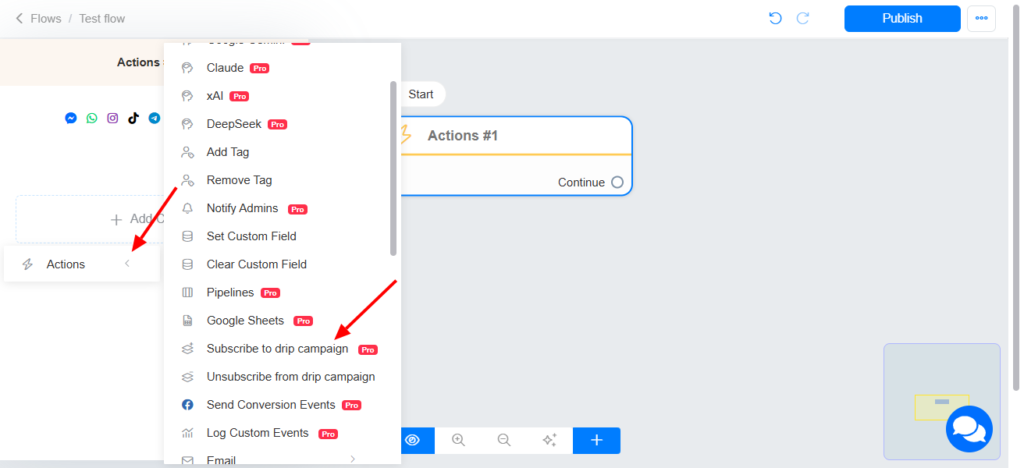
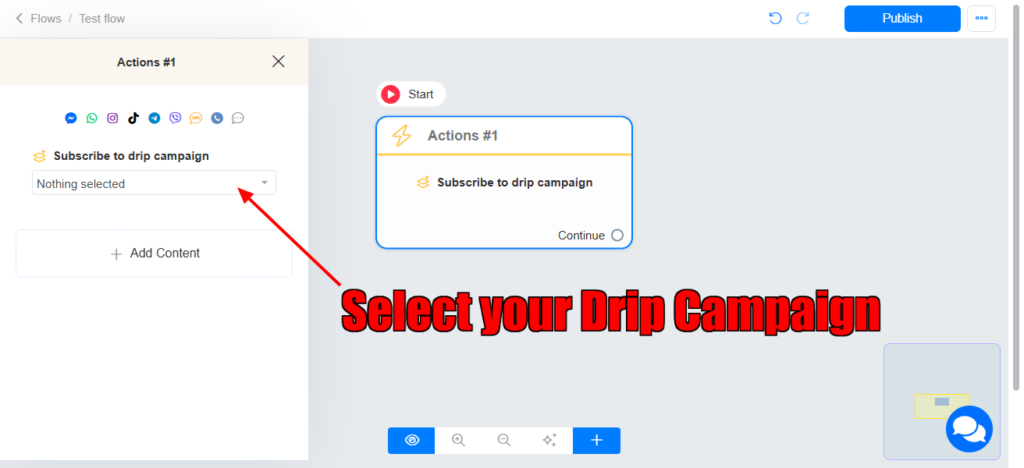
You can subscribe a contact to a Drip Campaign in your automation/Flow using the Subscribe to Drip Campaign Action
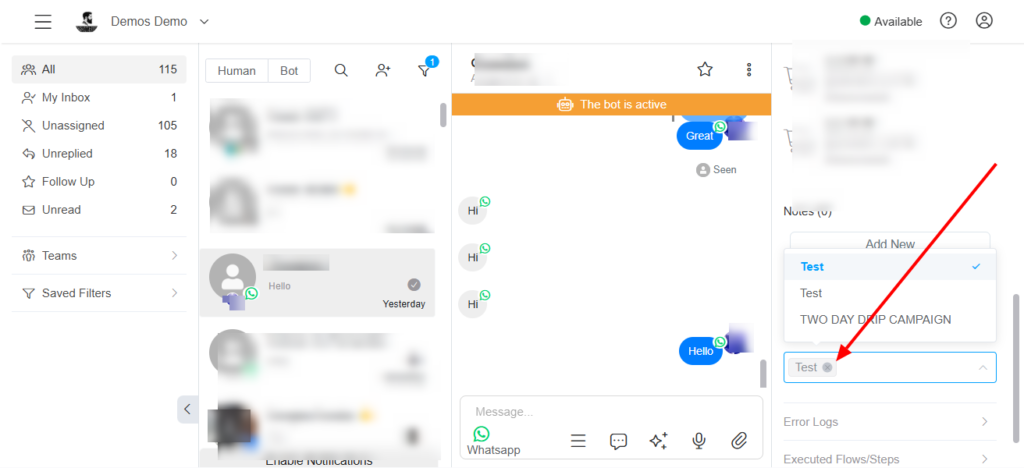
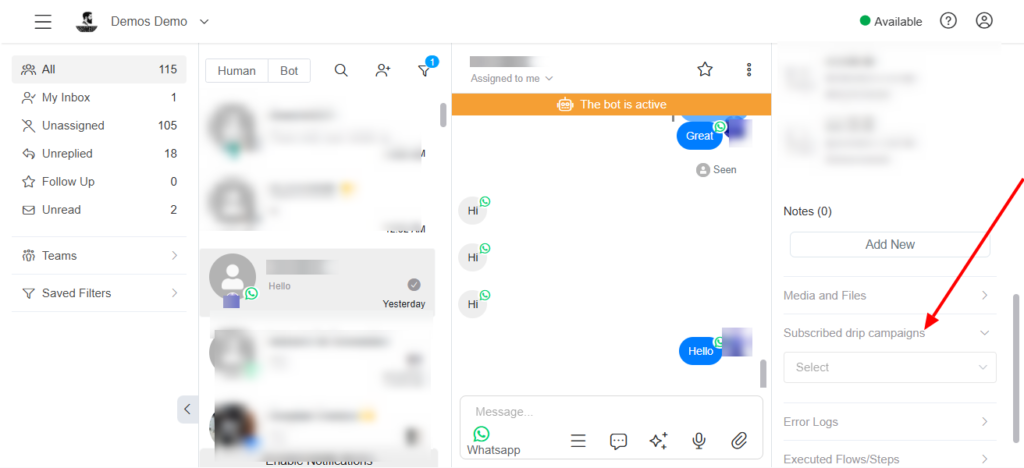
Subcribe contact to Drip Campaign in the Inbox
How to unsubscribe a contact from a Drip Campaign
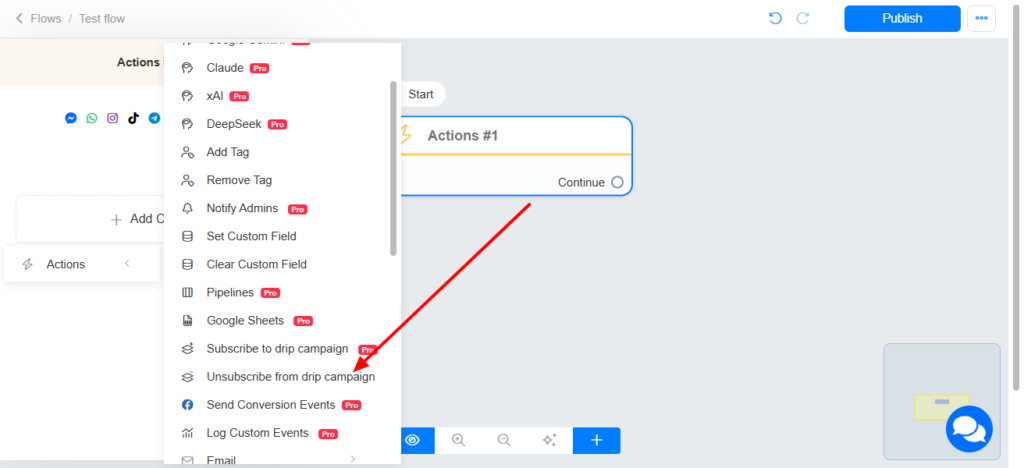
Unsubscribe the contact from your Drip Campaign in your automation/Flow using the ‘Unsubscribe to from Drip campaign’ Action
Remove the Drip Campaign from the contact in the Inbox