Overview
In this documentation, you will learn how to read files sent by customers using AI. This feature allows businesses to gain insights from files sent by customers.
Key Details
- Connect OpenAI in the Integration section (Settings >> Integration >> OpenAI ChatGPT)
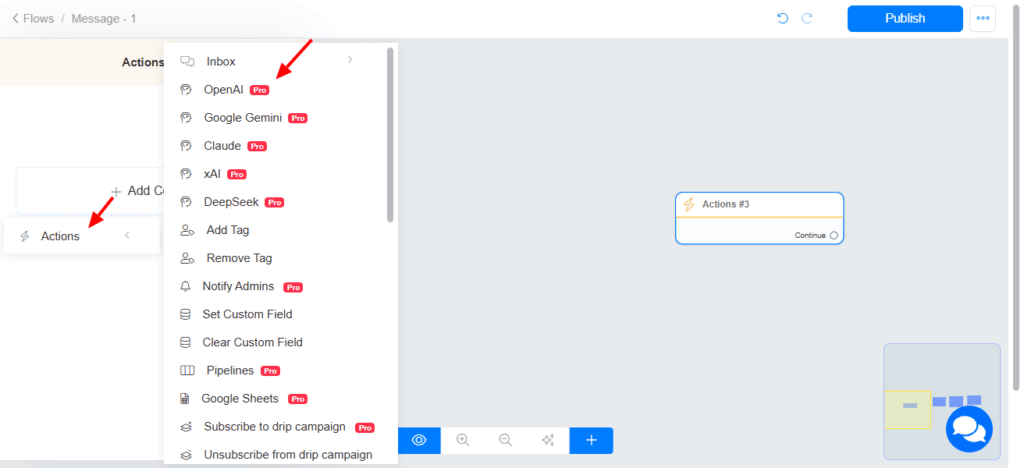
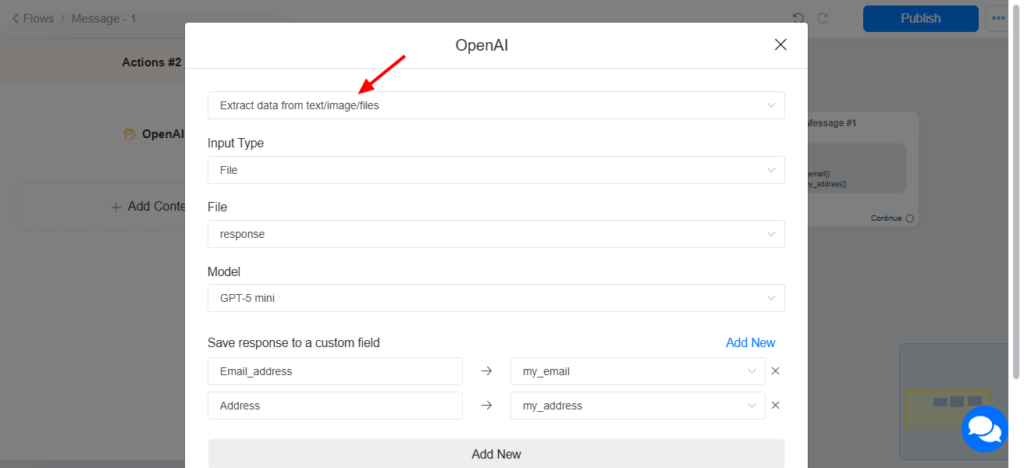
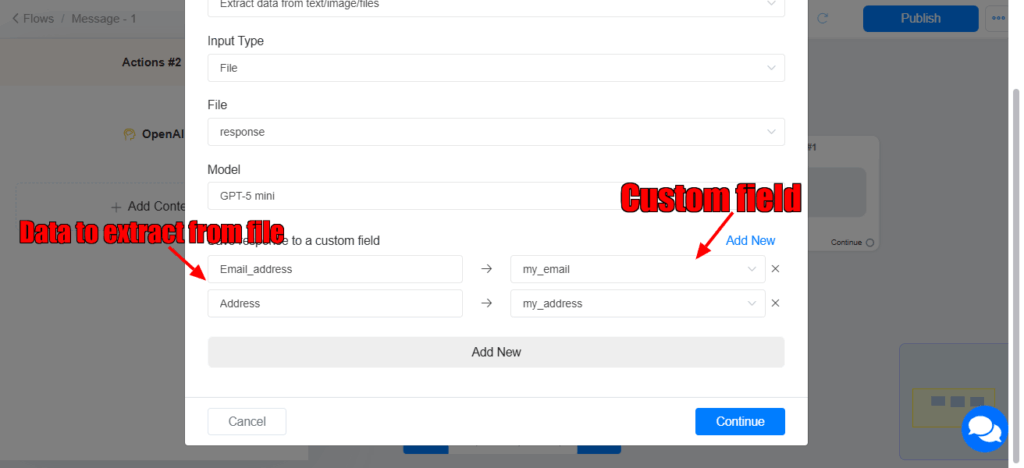
- In your flow, collect the file from your user and read the file using OpenAI action (Extract data from text/image/files).
How to setup
- Connect OpenAI integration if you have not connected it yet. Please read this documentation
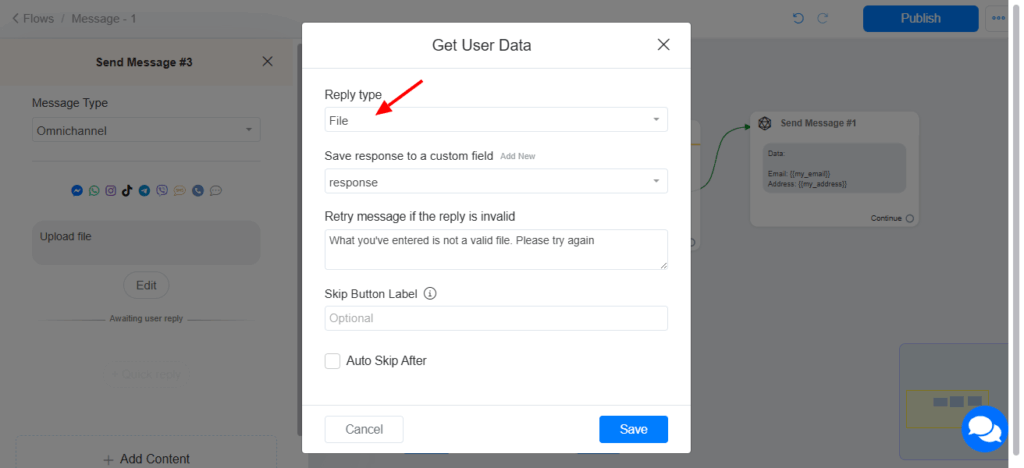
- Create a flow where you will collect file from your user (using Get User Data)
Read the document using OpenAI action.